

Troubleshoot Envy MCP for game UI coding agents
Check the client configuration, Node version, server root and document path first. Then distinguish read-only access, document validation errors and optional rendering dependencies instead of treating every failure as an AI model problem.
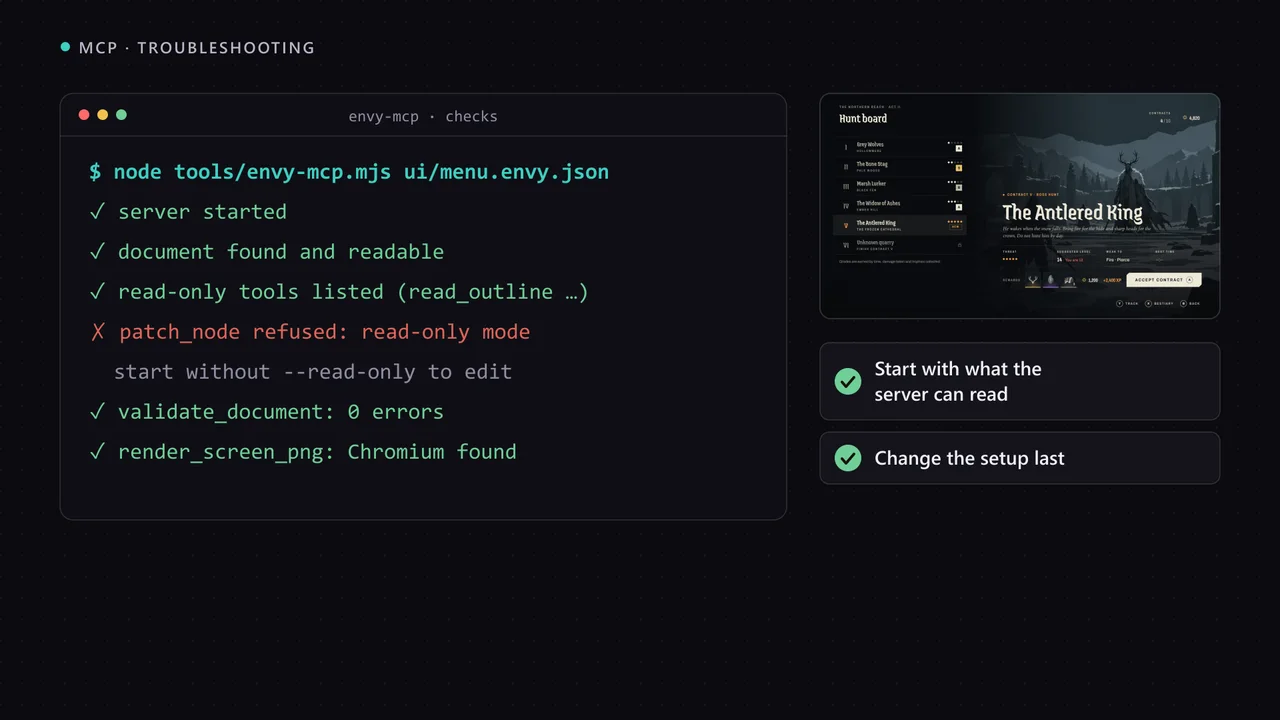
When an agent cannot inspect an Envy document, start with the connection and the file. Changing the prompt or reinstalling an entire game engine is unlikely to explain a server launched from the wrong folder.
The Envy MCP reference documents the current command, tools and requirements. MCP is a protocol between a host, clients and servers; see the protocol architecture for the general model.
The server does not start
The documented server uses Node 20.12 or newer and communicates over standard input and output. Check that the client points to the server file in your handoff package and that the working directory matches the paths in the configuration. Check the client’s logs for the actual startup error.
The handoff package includes an example mcp.json. Your agent client may use a different configuration location or format, so consult that client’s instructions. Avoid copying a path from an example without checking where the package was extracted.
The document cannot be opened
The server opens supported .envy.json or .envy files within its root folder. The root defaults to its working folder or can be set with --root. Confirm the document exists at the path given to the server and is inside that root. The documented file size limit is 256 MB.
Start by listing the outline or describing one screen. If those tools cannot read the document, resolve the path and file issue before attempting an edit. Do not widen the root to unrelated folders merely to make an error disappear.
Editing tools are missing
If the command includes --readonly, the server hides editing tools. That is useful for inspection. If the task requires edits, decide which files the agent may modify, use an appropriately scoped writable setup and review the resulting diff. The MCP safety guide covers a practical review boundary.
A change is refused
The server validates edits before writing. Read the reported issue and inspect the affected node and contract rather than retrying the same patch. Some fields, including a layer’s ID, parent, children and type, cannot be changed through patch_node. The tool reference lists supported operations.
After a valid edit, run validate_document and inspect the diff. Validation checks the document, not your game’s event handlers, visual quality or release build.
Rendering fails while other tools work
render_screen_png additionally needs the web runtime and Playwright with Chromium in a supported location. Fonts and images must be embedded or available in the project; the render does not load assets from the network. Check the detailed paths and requirements in the agent guide.
If rendering is unavailable, the agent can still inspect the document when the other tools work. Record that the visual comparison was not performed. For the package and integration steps, see Envy for coding agents.
Questions people ask
Why can the Envy MCP server not open my document?
Check the file path, extension and root folder in the server configuration. The server opens supported Envy documents inside its configured root.
Why are editing tools missing from the MCP tool list?
A server started with --readonly hides editing tools. Check the command and use write access only when the task requires it.
Does the MCP server need Playwright for every operation?
No. The documented screen-rendering tool needs Playwright with Chromium and the web runtime. Reading, validating and editing have different requirements.