

Game UI that works in the engine, not only in the mockup.
Practical guides for people who build menus, HUDs and inventories in Godot, Unity and the browser. Also as an RSS feed.
Godot UI
Menus, Control nodes, containers, CanvasLayer, scaling, inventory and gamepad focus in Godot 4.
-
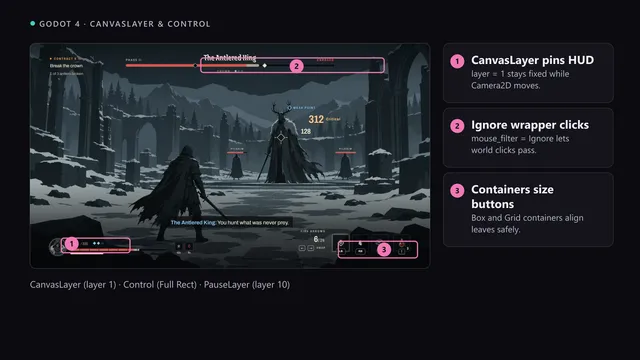
Godot 4 UI tutorial: Control nodes, containers, CanvasLayer and mouse filters
Learn how Godot 4 UI works: Control nodes, containers, CanvasLayer HUD layering, mouse_filter click blocking, and a clean architecture for menus and HUDs.
-
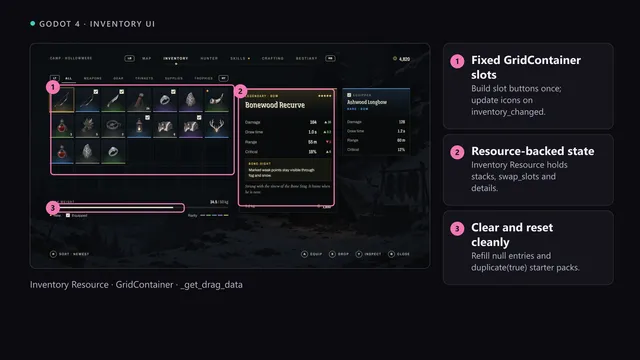
How to build an inventory system in Godot 4: Resources, GridContainer, clear and reset
Build a Godot 4 inventory system with custom Resource data, GridContainer slots, stacking, clear and reset functions, gamepad focus and drag-and-drop.
-
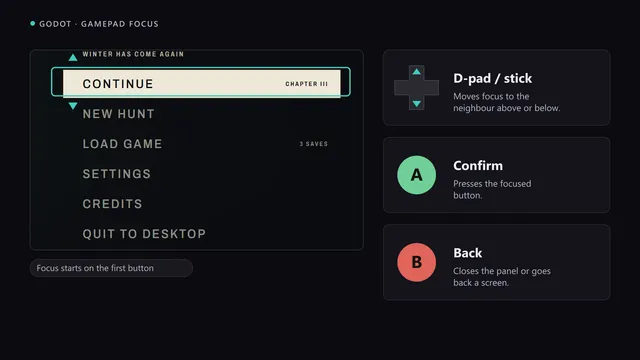
Gamepad and keyboard navigation for Godot menus
How Godot 4 moves focus with a d-pad, a stick and the keyboard, why menus ignore controllers, and how to set focus neighbors, rings and Back buttons.
-
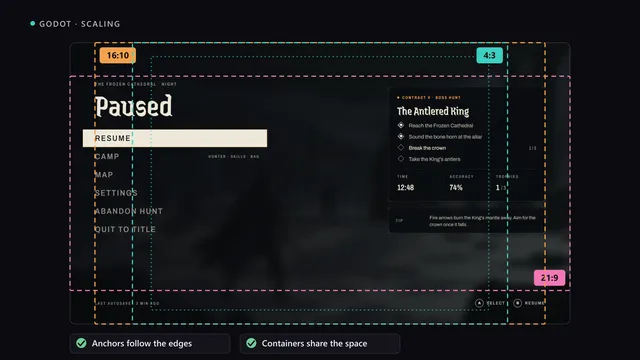
Godot UI scaling: anchors, containers and every screen size
Why Godot UI breaks on other screen sizes and how to fix it: stretch settings, anchors, containers and size flags, plus why anchors stop working.
-
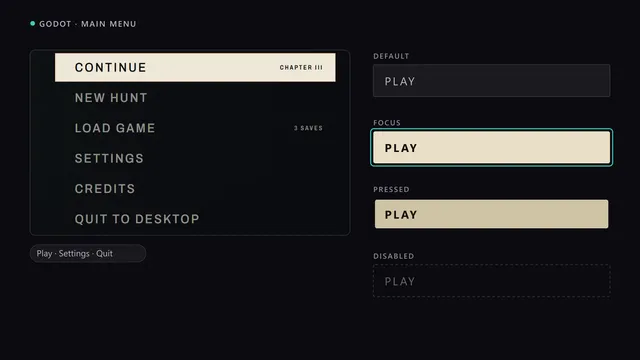
How to make a main menu in Godot 4 that works with a controller
Build a Godot 4 main menu step by step: Play, Settings and Quit buttons, a settings panel, scene changes and gamepad focus that works from the first frame.
-
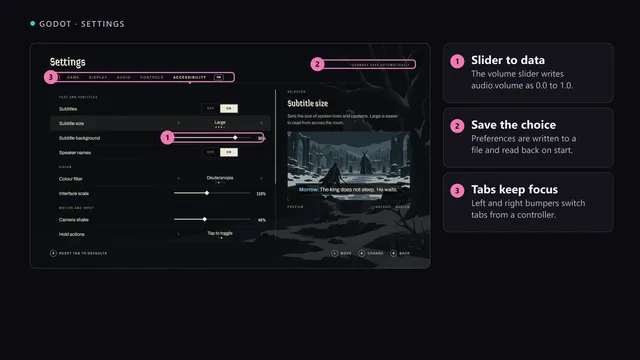
Make a Godot settings menu with an AI coding agent
Build a Godot settings screen with a volume slider, a clear data contract, saved preferences and checks for input and persistence.
-
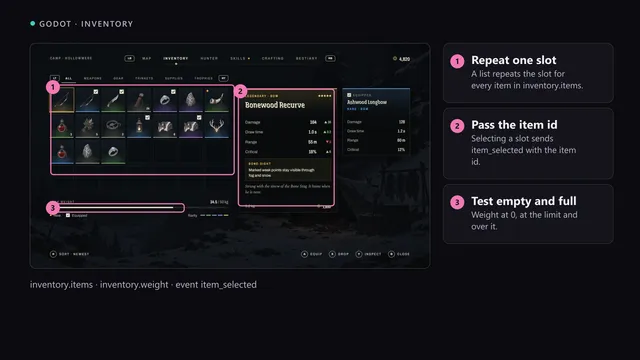
Build a Godot inventory UI with an AI coding agent
Connect a Godot inventory screen to game data with Envy, repeat item slots, pass selected item IDs and test empty and full states.
Unity UI Toolkit and cross-engine
UI Toolkit ListView, uGUI tradeoffs, Figma handoff and multi-engine UI design.
-
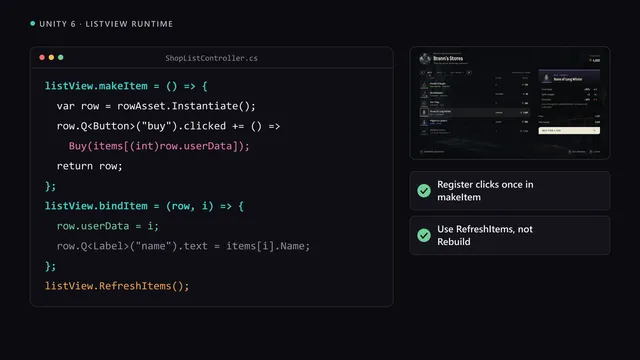
Unity UI Toolkit ListView at runtime: dynamic lists, binding and grids in Unity 6
Populate a Unity 6 UI Toolkit ListView at runtime: makeItem, bindItem, unbindItem, RefreshItems vs Rebuild, virtualization bugs, grids and gamepad selection.
-
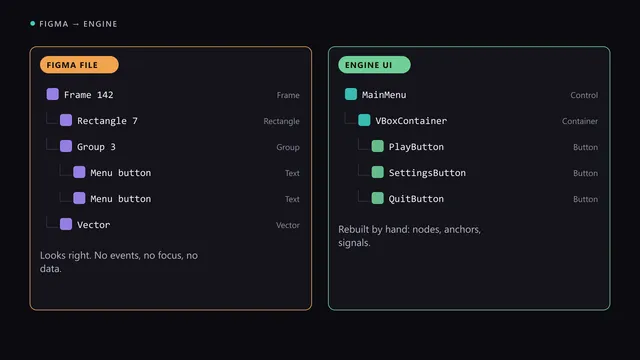
Figma to Godot or Unity: why game UI handoff breaks
What survives the trip from a Figma game UI mockup into Godot or Unity, what has to be rebuilt by hand, and how to set up a Figma file so the rebuild is faster.
-
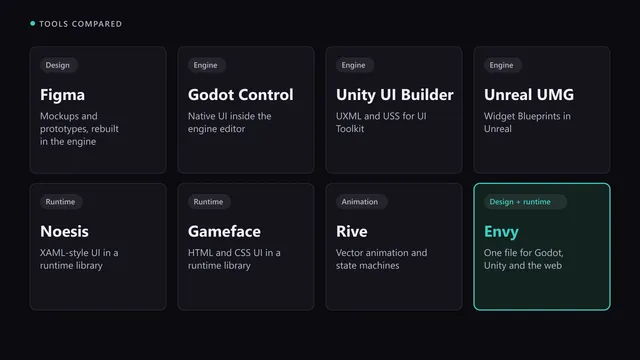
Game UI design software in 2026: what each tool is for
Figma, Godot, Unity UI Builder, Unreal UMG, Noesis, Gameface, Rive and Envy: what each game UI tool produces, who it suits and where work gets redone.
-
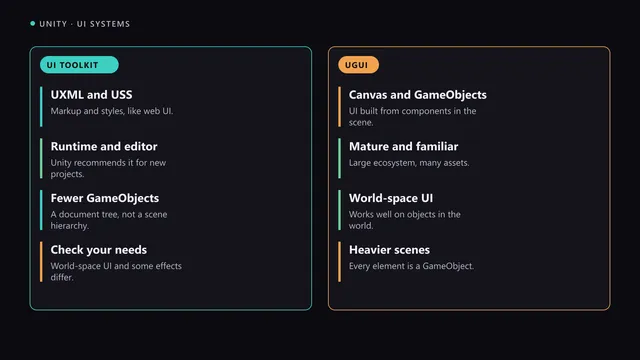
Unity UI Toolkit vs uGUI in 2026: which to use for game UI
UI Toolkit or uGUI for game UI in Unity 6: what Unity's own docs recommend, what each system can do, and how to pick one for your menus and HUDs.
-
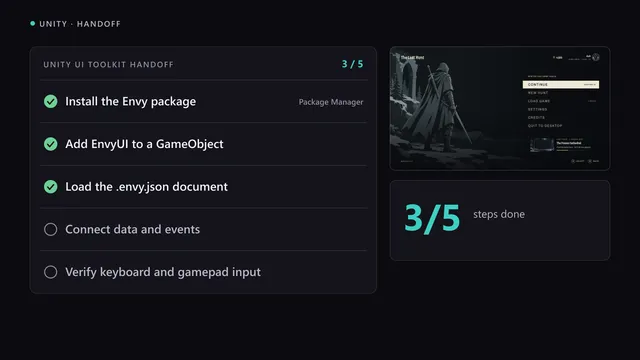
A Unity UI Toolkit handoff checklist for AI agents
Give a coding agent a practical Unity UI Toolkit handoff: install the Envy package, load the document, connect data and verify input.
AI coding agents and MCP
Godot and Unity MCP setup, UI contracts, handoff packages, validation and debugging.
-
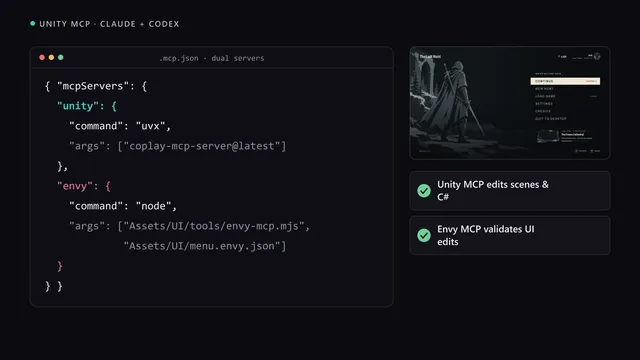
Unity MCP setup guide: connect Claude Code and Codex to Unity 6
Set up an open-source Unity MCP server with Claude Code or Codex in Unity 6: Package Manager install, .mcp.json and config.toml, and safer UI Toolkit edits.
-
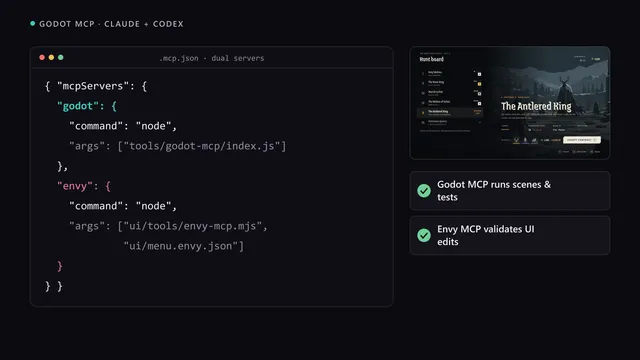
Godot MCP setup guide: connect Claude Code and Codex to Godot 4
Set up a Godot MCP server with Claude Code or Codex: compare scene-level and UI-level MCP servers, configure .mcp.json and config.toml, and protect your UI.
-
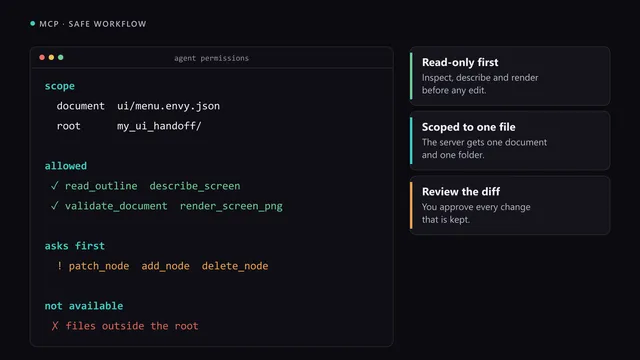
A safer MCP workflow for AI agents editing game UI
Set up a scoped MCP workflow for AI-assisted game UI edits, with read-only inspection, validation, visual review and clear limits on agent access.
-
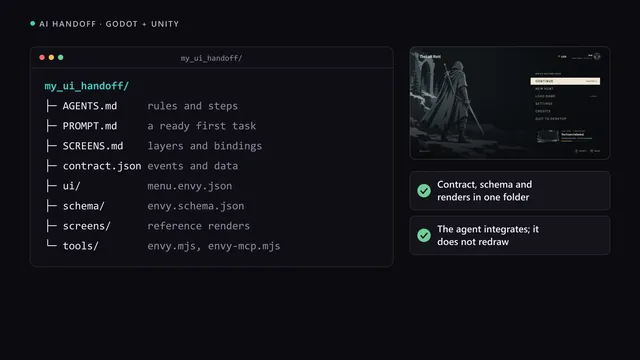
AI UI handoff for Godot and Unity: from design to game
Give an AI coding agent the files, UI contract and checks needed to integrate a game interface into Godot or Unity without recreating the design.
-
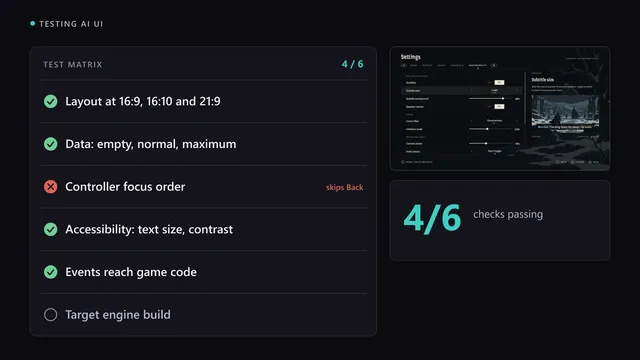
How to test AI-generated game UI before it ships
Test an AI-generated game menu or HUD with a practical matrix for layout, data, controller focus, accessibility, events and target-engine behavior.
-
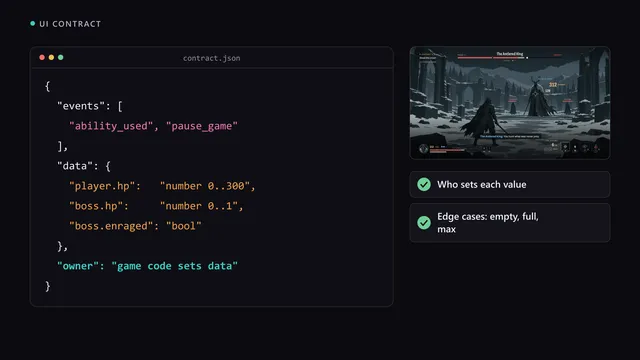
How to write a game UI contract for an AI coding agent
Give an AI coding agent a usable game UI contract: events, data paths, ownership, edge cases and acceptance checks for Godot, Unity and web games.
-
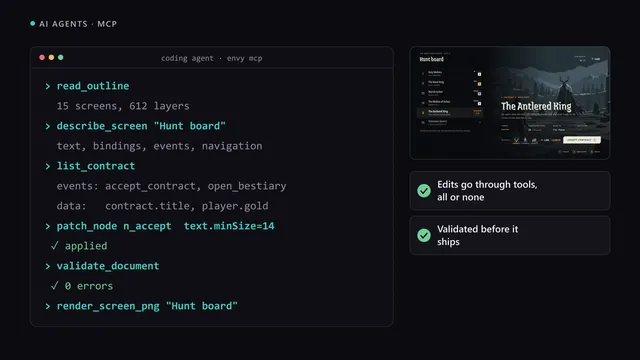
Building game UI with AI coding agents and MCP
Where AI coding agents like Claude Code help with game UI in Godot and Unity, where they fail, and how a UI contract and an MCP server keep their work honest.
-
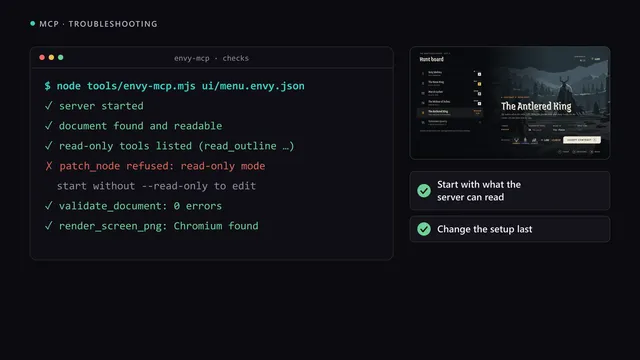
Troubleshoot Envy MCP for game UI coding agents
Diagnose Envy MCP startup, file access, read-only tools, validation and screen rendering before changing an AI agent setup.
-
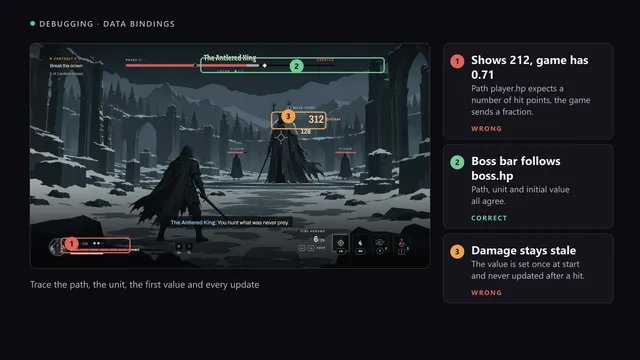
Debug game UI data bindings with an AI coding agent
Find why a game UI shows stale, missing or incorrect values by tracing paths, units, initialization and updates through an AI-assisted workflow.
-
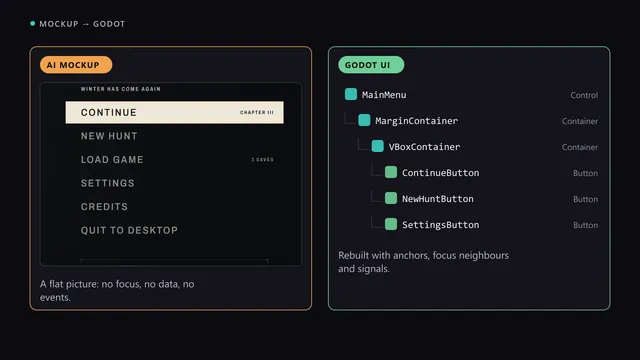
From an AI mockup to a working Godot game UI
Turn an AI-generated UI mockup into a Godot interface by rebuilding its behavior, data bindings, focus and responsive layout.
-
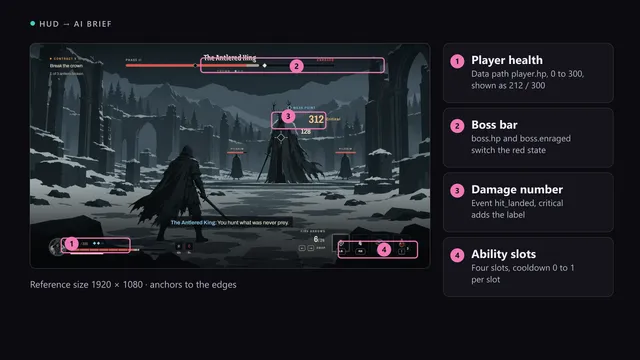
Turn a game HUD screenshot into an AI-ready brief
Turn a game HUD screenshot into a useful AI coding brief by documenting data, states, layout constraints, reference sizes and acceptance checks.
-
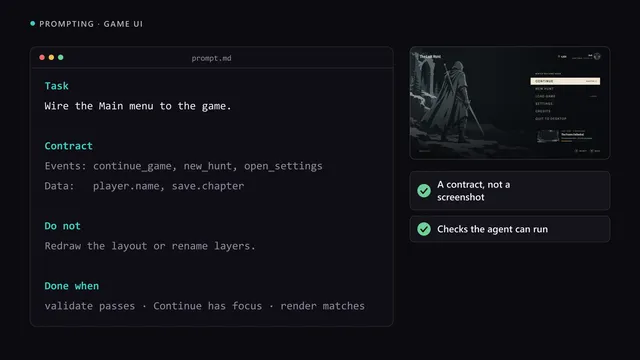
How to prompt an AI agent for a game UI task
Write a useful game UI prompt for a coding agent with a real contract, clear boundaries, acceptance checks and a reviewable result.
Game UI design, polish and launch
HUD readability, Steam Deck checklists, localization, button feedback and release prep.
-
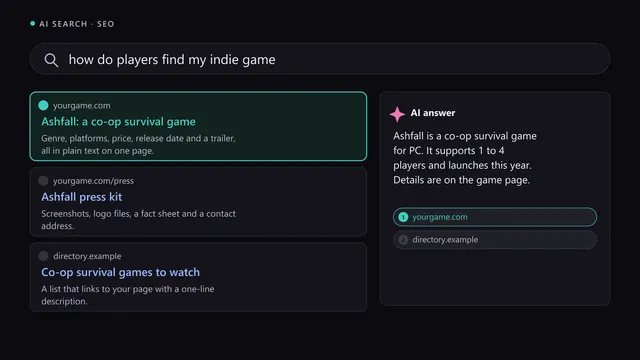
AI search SEO for game developers: a practical guide
Help players and developers discover your game through AI search with useful pages, crawlable content, clear evidence and realistic measurement.
-
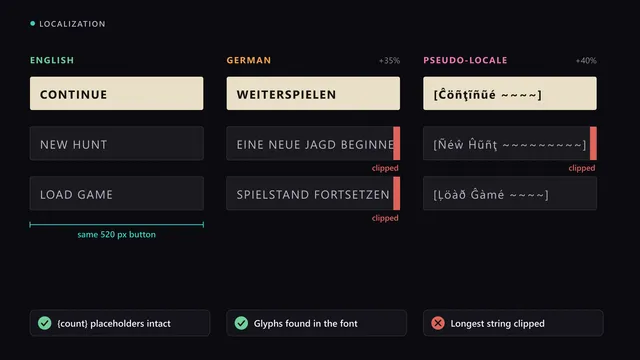
AI-assisted game UI localization without broken layouts
Use AI to prepare game UI localization while protecting placeholders, testing long strings, checking glyphs and keeping human review in the loop.
-
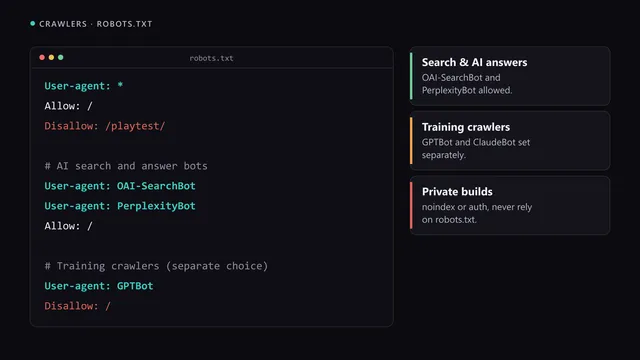
Game website crawlers: control search and AI access
Understand robots.txt, noindex, canonical URLs and AI crawlers so your game website can be discovered while you make deliberate access choices.
-
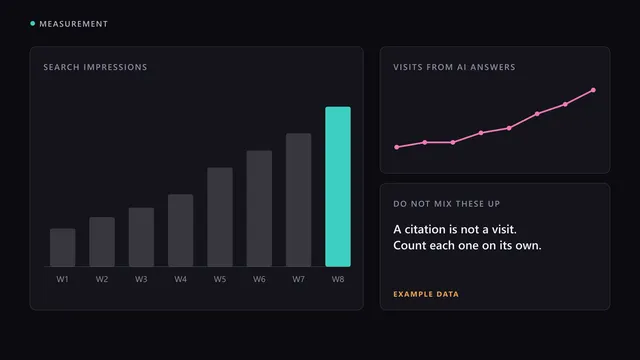
How to measure AI search visibility for your game
Use Google Search Console, Bing Webmaster Tools and your own analytics to measure AI search visibility without confusing citations with visits.
-
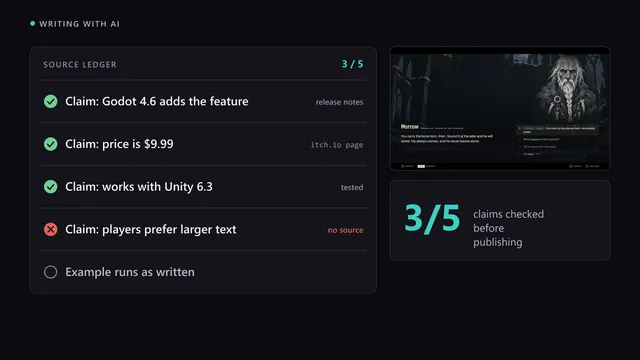
How to write useful game development articles with AI
Plan, research and edit AI-assisted game development articles with a practical source ledger, fact checks and examples readers can use.
-
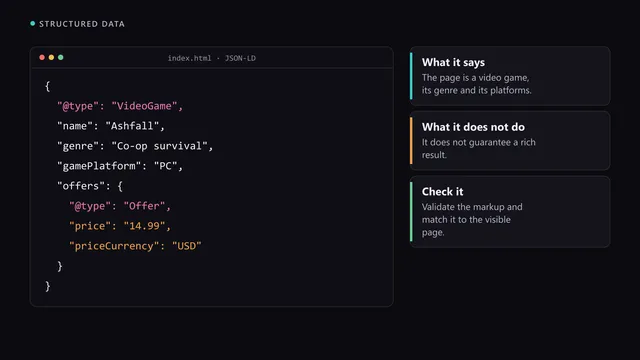
Structured data for game websites: a practical guide
Use VideoGame and article structured data honestly, validate your markup and understand what Google rich results do and do not guarantee.
-
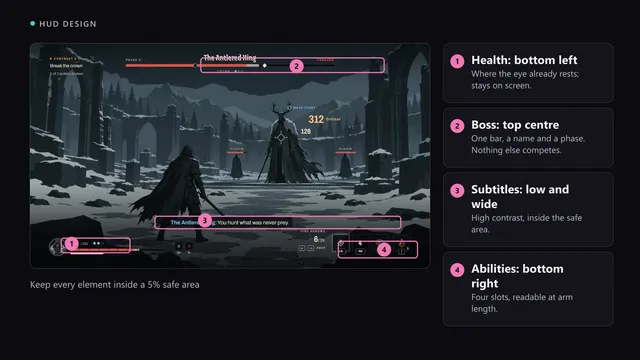
Game HUD design: rules for a HUD players can read
Practical HUD design rules for indie games, from where each element goes to text size, contrast, safe areas and motion, with a Godot HUD and health bar example.
-
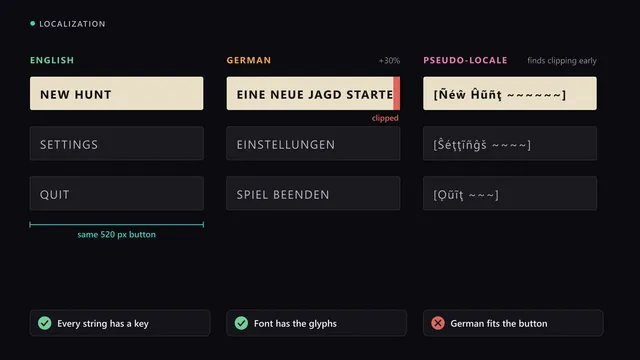
Game UI localization: text expansion, pseudo-locales and fonts
Build game UI that survives translation: plan for text expansion, test with a pseudo-locale, key every string, pick fonts with the right glyphs.
-
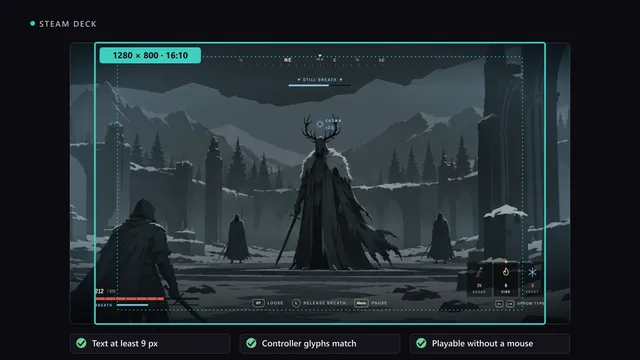
Steam Deck UI checklist: text size, controls and screen sizes
What Valve's Steam Deck Verified review checks in your UI: the 9 px text rule, controller and glyph rules, the 16:10 screen and how to test it.
-
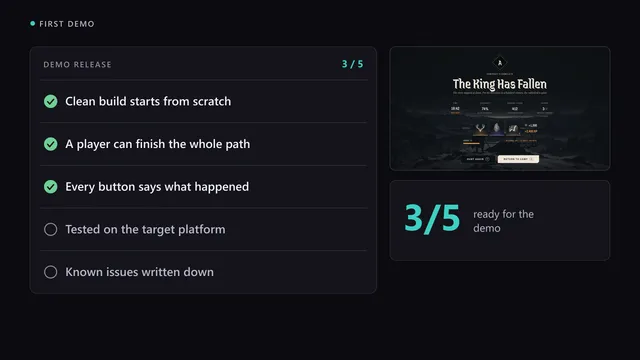
Prepare your vibe-coded game for its first demo
Prepare an AI-built game demo with a clean build, a complete player path, honest UI feedback and a focused test on the target platform.
-
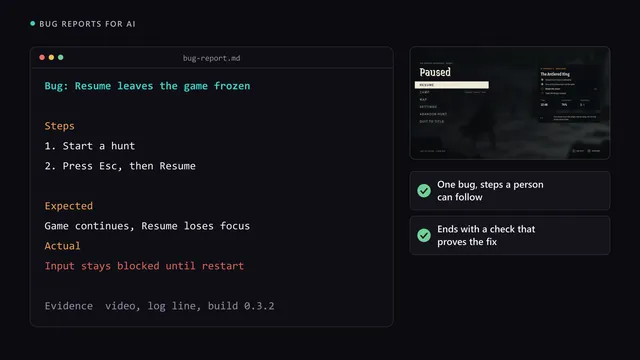
Get an AI coding agent to fix a game bug without guessing
Write useful bug reports for an AI coding agent with reproduction steps, expected behavior, evidence and a focused regression check.
-
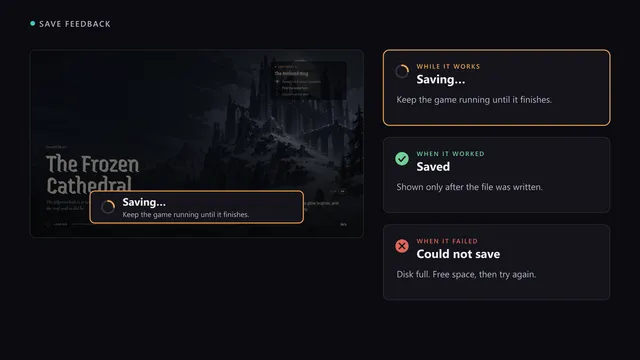
Stop your vibe-coded game from saying “saved” too soon
Design honest save and loading feedback for an AI-built game, including pending, success and failure states and a real restart test.
-
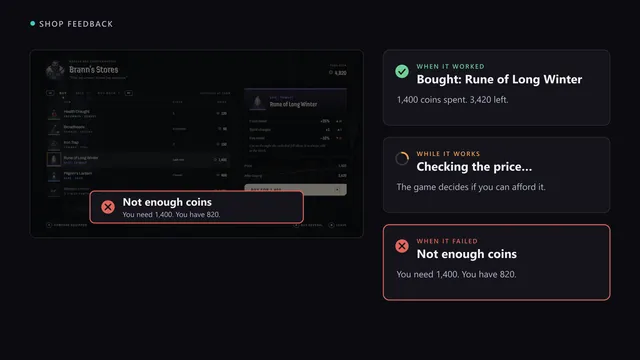
Fix shop feedback in your vibe-coded game
Make an AI-built game shop explain prices, rejected purchases and successful transactions while keeping item and currency rules in the game.
-
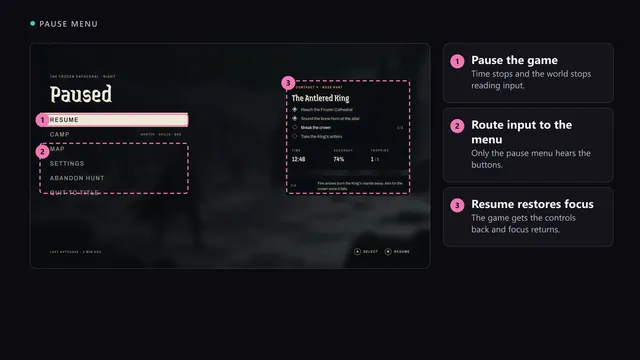
Fix the pause menu in your vibe-coded game
Make an AI-built pause menu pause the game, route input correctly, restore focus and resume without leaving the player stuck.
-
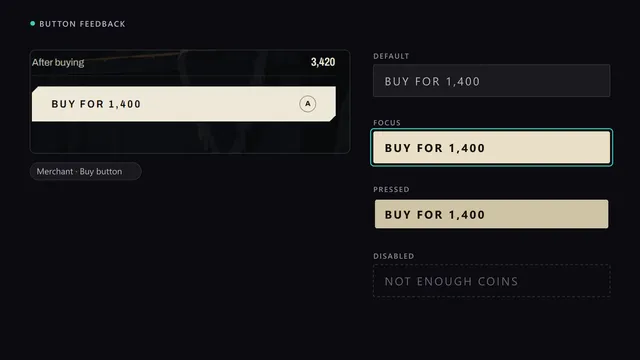
Make buttons in a vibe-coded game feel responsive
Polish game buttons with clear focus, pressed and disabled states, concise labels and feedback that reflects what the game actually did.
-
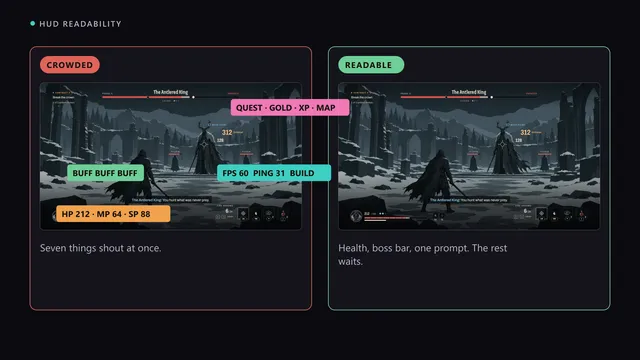
Make the HUD in your vibe-coded game readable
Fix a crowded AI-built game HUD by prioritizing information, improving contrast, testing real values and checking the target screen size.
-
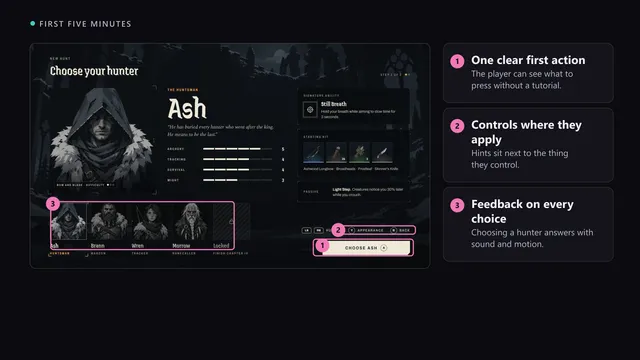
Fix the first five minutes of your vibe-coded game
Improve a vibe-coded game’s opening with a clear first action, contextual controls, useful feedback and a simple first-session playtest.
-
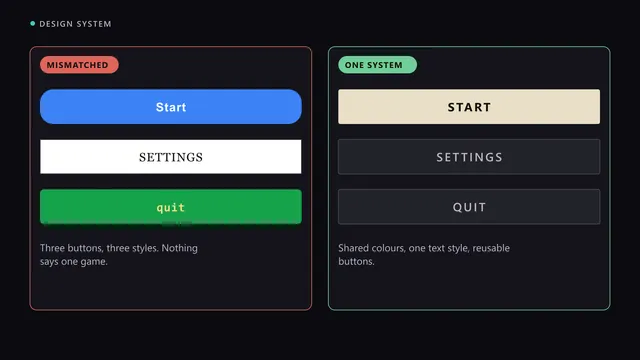
Make a vibe-coded game UI look like one game
Replace mismatched menus with a small game UI design system using shared colors, text styles, reusable buttons and a practical audit.
-
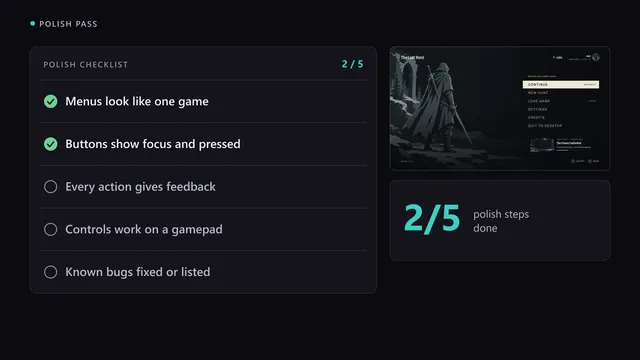
How to polish a vibe-coded game without starting over
Turn a rough AI-built game into a more coherent playable experience with a practical polish pass for menus, feedback, controls and bugs.
-
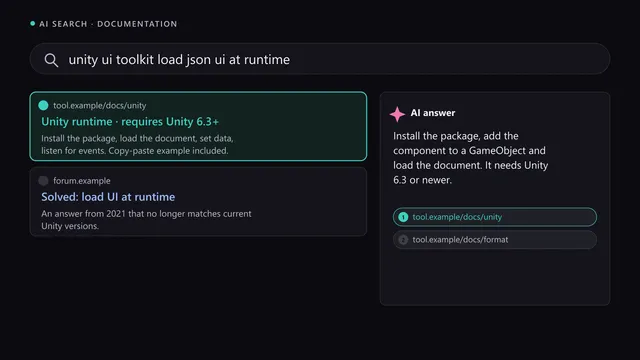
Write game tool documentation for AI search and agents
Make game development documentation easier to find and use with specific examples, versioned requirements, accessible pages and honest limits.
-
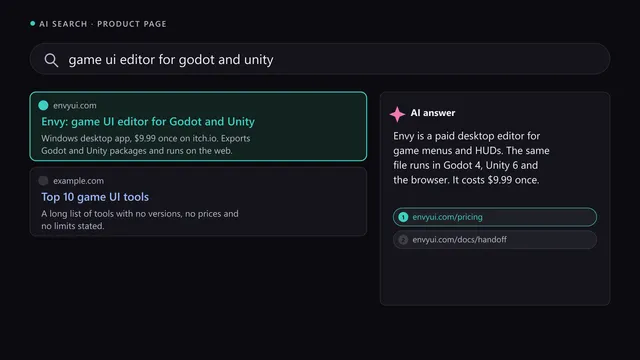
Make a game UI product page useful for AI search
Improve a game UI product page for search and AI discovery with precise capabilities, verifiable examples, clear limits and useful links.