

Make the HUD in your vibe-coded game readable
Choose the information a player needs during active play, make it legible against the game world, and test it with real changing values. Start with health, the current objective and any immediate action; add other indicators only when they help a decision.
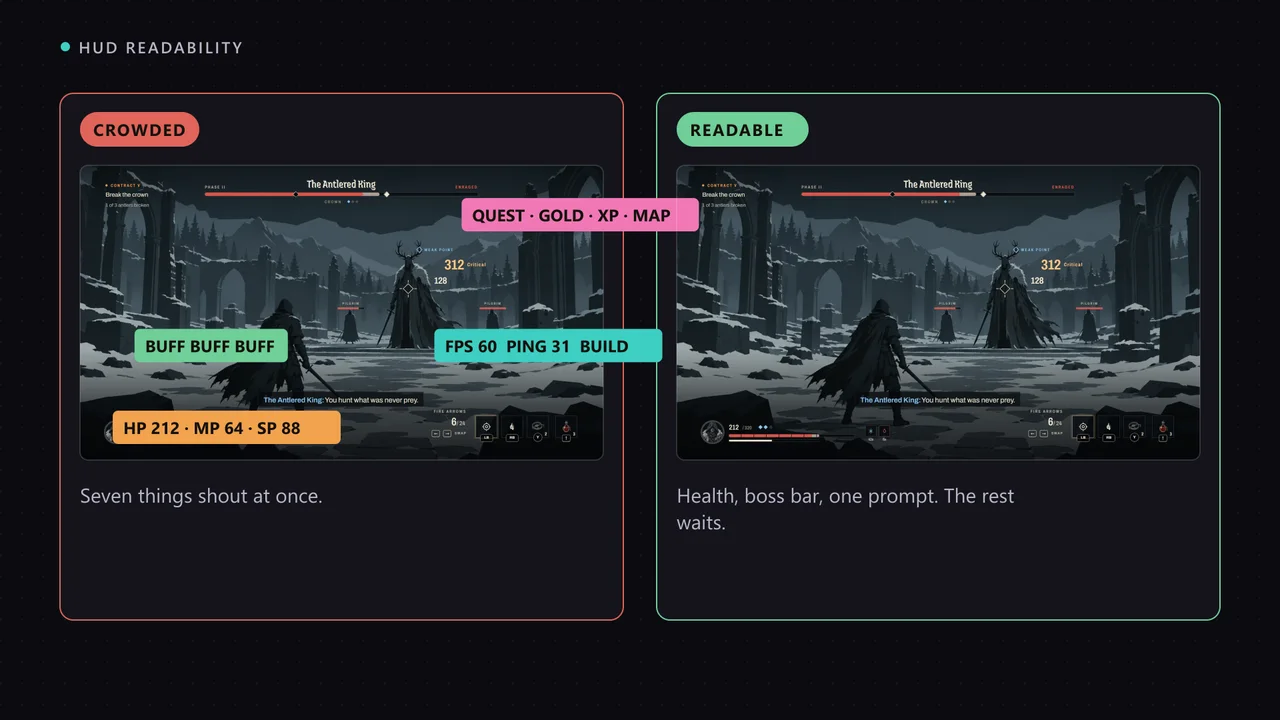
If the player has to stop fighting to find their health, the HUD is competing with the game. A polish pass starts by deciding which information earns a permanent place on screen.
Rank information by the decision it supports
Pause a recording at three moments: exploration, normal combat and a dangerous encounter. For every HUD element, write the decision it helps the player make.
| Information | Decision it may support | Possible treatment |
|---|---|---|
| Current health | Retreat, heal or keep fighting | Visible during active play |
| Boss health | Judge encounter progress | Show during the encounter |
| Objective detail | Decide where to go next | Short reminder, with full detail elsewhere |
| Resource total | Decide whether an action is affordable | Show when relevant to the action |
These are examples, not rules for every genre. If an element has no clear purpose, try removing it from the main view and see whether a playtester misses it.
Put text over a readable surface
Test the HUD over bright, dark and busy parts of the actual game. A label that is readable on a dark editor canvas can disappear against a bright explosion. A backing panel, outline or shadow can help, but check the result on the target display.
Use a second cue alongside color for critical states. For example, pair a low-health color with a readable value, an icon or a distinct shape. Game Accessibility Guidelines offers practical contrast guidance; it is a starting point for testing, not proof that every player can read your HUD.
Connect the numbers to the game
For a health bar, agree on the current value and maximum before drawing the display. In Envy, bind the progress layer’s value and max to paths such as player.hp and player.hpMax. A text layer can show {player.hp} / {player.hpMax}. Those names are examples; your game must send the values defined by its own contract.
Use sample data and scenarios to preview normal and low health. Then run the game and take damage. Verify that the displayed number and bar change with the same source. Decide what to show before the game has supplied data and what happens when the maximum is zero.
Check a smaller screen
Run the smallest viewport you intend to support. Read the HUD while the game is moving, not only in a paused screenshot. Check long names, large values and any subtitles or prompts that share the screen.
If your game targets Steam Deck, use Valve’s current compatibility guidance and test on the device when available. Meeting a text-size guideline alone does not establish that the full game is verified.
Give an agent a measurable task
On the combat HUD, the objective covers the health value at 1280x800.
Keep health readable and preserve the objective text. Use the existing
UI document and data paths. Test normal and low-health states at that
viewport, then check the target game runtime. Report any state or
device you could not test.
The screenshot above is from The Last Hunt, a fictional game UI. Use it to study hierarchy, then make decisions from your own game and playtests.
Questions people ask
What should appear on a game HUD?
Show the information players need for decisions during the current activity. The right items depend on the game; health, a current objective and an available action are possible starting points.
Is a larger font enough to make a HUD readable?
Size helps, but contrast, background, spacing, timing and the display itself also matter. Test the HUD over representative gameplay on the target device.
Why does my health bar look right but show the wrong value?
The UI may still use sample data, read the wrong path, use different units or miss an update. Trace the game value into the runtime and the bound layer.