

Make a vibe-coded game UI look like one game
Start with the screens players see most, choose a small set of colors and text roles, and make one reusable button for repeated actions. Apply the system to a real menu before expanding it across the game.
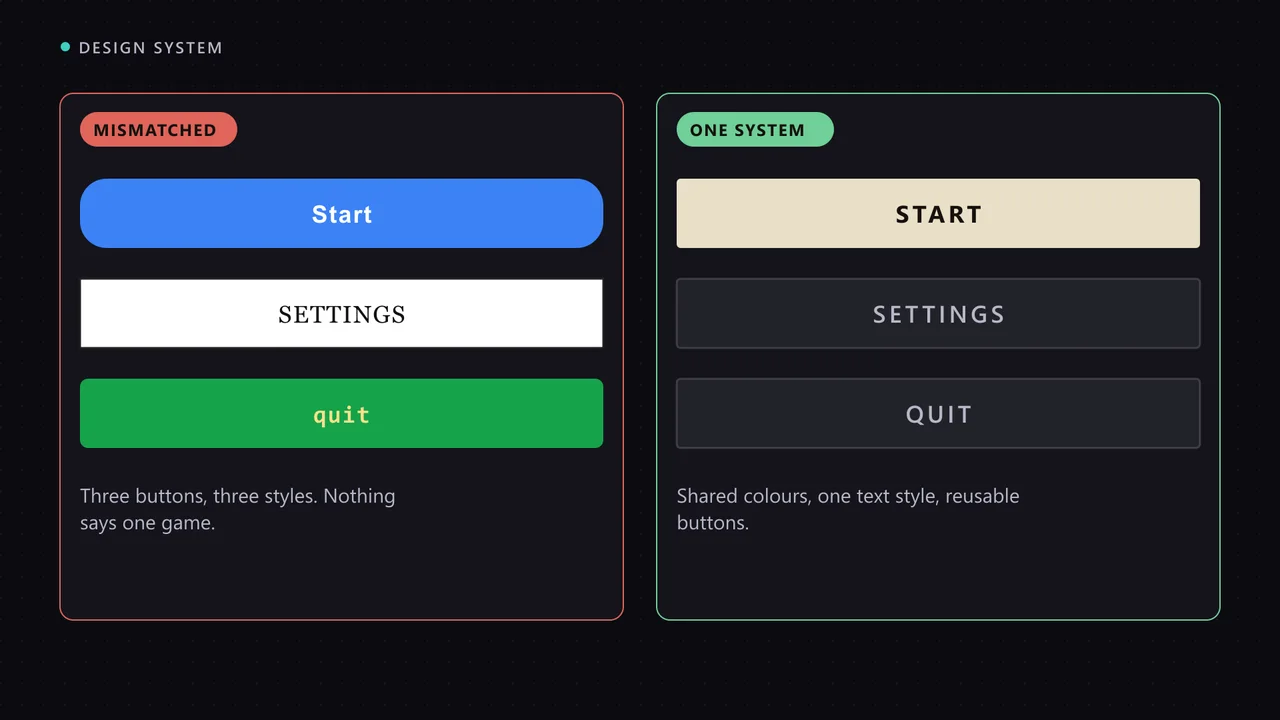
An AI-built prototype can accumulate a different button, font and panel style on every screen. The result may work, but the player has to relearn the interface each time. A small visual system gives repeated things a shared appearance and purpose.
Start with the main menu, pause menu and one gameplay screen. Take a screenshot of each at the same size and compare them side by side.
Find the differences that matter
Look for the same job performed in different ways: three versions of a Back button, several text colors used for the primary action, or a warning that looks like ordinary body text. List the differences before changing anything.
Some differences are intentional. A dangerous action should be distinguishable from a routine confirmation. The goal is to make that distinction consistent, not to make every screen identical.
Choose roles, not a pile of hex values
Give each color a job. For example:
| Role | Example use |
|---|---|
| Background | Main panel surface |
| Primary text | Labels and instructions |
| Accent | The most important action or selected item |
| Warning | A destructive action or problem |
| Muted text | Secondary information that remains readable |
Test text against the actual surface behind it, including busy gameplay. Do not communicate a critical state through color alone; pair it with words, shape or another cue. Game Accessibility Guidelines explains why contrast matters in games.
In Envy, store shared colors as tokens. A token update changes the layers that use it; an individual layer with a hard-coded color will not follow.
Give text a small set of jobs
Define styles for screen titles, button labels, body text and supporting information. Test them at the smallest size you expect players to use. Make a long item name and a short action label part of the sample, not an afterthought.
Envy’s text styles can be shared between layers. Check wrapping, fonts and the runtime in your game. A style that fits a browser preview can still need adjustment in the target engine.
Make one button worth repeating
Create a primary button with a clear default, hover, pressed, focused and disabled appearance. Turn it into a component and use instances for repeated actions. Keep labels and meaningful variants distinct. For example, a destructive Delete action should not be mistaken for Continue.
In Envy, a component change reaches its instances, while their overrides can preserve specific differences. Inspect those overrides if one button does not change with the others. See button states for the exact behavior.
Try the system on a real route
Apply your choices to one route: main menu, settings and return to the menu. Check spacing, text fit, focus and the action results. Then apply the same roles to other screens in small batches.
An agent can help locate inconsistent labels or propose changes, but it needs the chosen roles and reference screens. Ask it to report exceptions and review its diff. Consistency is a design decision; it does not come from asking for “more polish.”
Questions people ask
What is a game UI design system?
It is a shared set of visual and interaction choices, such as color roles, text styles, spacing and reusable controls, that keeps screens consistent.
How many colors or fonts should my game UI use?
There is no required number. Start with only the roles your current screens need, check readability and add exceptions for a clear purpose.
Will changing an Envy component update every UI element?
Instances of that component follow its changes, but per-instance overrides can change the result. Unrelated layers and components do not update automatically.