

Unity MCP setup guide: connect Claude Code and Codex to Unity 6
An open-source Unity MCP server connects Claude Code or OpenAI Codex to your Unity 6 editor so an agent can inspect scenes, read Console errors, and trigger PlayMode checks over the Model Context Protocol. Install the bridge package via Package Manager, register it in .mcp.json or .codex/config.toml, and keep visual UI edits behind a contract-checked UI server.
Connecting Claude Code or OpenAI Codex to Unity 6 speeds up C# debugging, component wiring, and Console triage because the agent stops guessing what exists in your open scene. The catch appears when that same agent edits UI prefabs or UXML layouts through scene tools and leaves broken anchors, stale click handlers, or conflicting prefab overrides. Splitting general Unity tools from UI layout edits solves both problems cleanly.
How a Unity MCP server works with Unity 6
A Unity MCP server connects your AI coding client over the Model Context Protocol to a Unity Editor bridge inside your project. Unlike pure text editing, the server can query the live Scene hierarchy, read compile and Console errors, create assets, and enter Play mode to check runtime behavior.
Teams typically choose between three distinct approaches depending on what the agent needs to touch:
| Server kind | Needs open Unity Editor | Best suited for | Main failure mode |
|---|---|---|---|
| Open-source Editor MCP (UPM package + local bridge) | Yes (uses Editor socket/HTTP bridge) | Querying scenes, reading Console logs, running EditMode/PlayMode tests, inspecting components | Domain reloads interrupt bridge sockets; requires matching bridge runtime (uv/Python or Node) |
| Headless Unity CLI wrapper | No (launches Unity -batchmode) |
Running CI builds, automated EditMode tests, asset re-imports | Slow startup per command; cannot inspect an active Play mode session |
| UI-contract MCP (such as Envy MCP) | No (edits .envy.json / .envy files) |
Placing UI components, updating copy/tokens, validating bindings and layout rules | Scoped strictly to UI documents; does not edit C# gameplay scripts or 3D/2D scenes |
For day-to-day Unity 6 development, pairing an open-source Editor MCP server for C# and scenes with a strict UI boundary gives you fast iteration without mangled UI prefabs.
Install an open-source Unity MCP package in Unity 6
Most community Unity MCP servers ship as a Unity Package Manager (UPM) package installed straight from a Git URL (see Unity’s Installing from a Git URL guide). Make sure Git is installed on PATH and check the chosen server’s local runtime requirement (Python 3.10+ with uv for servers like CoplayDev/unity-mcp, or Node.js for Node-based bridges).
Follow these steps to add an open-source bridge inside Unity 6:
- Open your Unity 6 project and commit or branch your working tree in Git so package changes stay reversible.
- Open Window › Package Manager, click the + button, and choose Add package from git URL….
- Paste the audited repository URL with its package subfolder query (for example,
https://github.com/CoplayDev/unity-mcp.git?path=/MCPForUnity, pinning a release tag when available) and click Add. - Open the package’s setup window under Window or Tools, verify its diagnostic check passes (Git, bridge runtime, and active local port), and start the local bridge.
Once the Editor compiles the package, the setup window listens for incoming MCP client requests while Unity stays open.
Connect Claude Code and OpenAI Codex
Register the MCP bridge at the project root rather than globally when your team shares repositories, so arguments and timeouts stay explicit for that Unity project.
For Claude Code, add .mcp.json at your repository root (or run claude mcp add for stdio bridges). For a uvx-hosted Unity MCP bridge like coplay-mcp-server, the configuration sets a higher MCP_TOOL_TIMEOUT so Unity domain reloads do not time out mid-call:
{
  "mcpServers": {
    "unity": {
      "command": "uvx",
      "args": ["--python", ">=3.11", "coplay-mcp-server@latest"],
      "env": {
        "MCP_TOOL_TIMEOUT": "720000"
      }
    }
  }
}
Or register the same project-scoped server from your terminal:
claude mcp add --scope project unity --env MCP_TOOL_TIMEOUT=720000 -- uvx --python ">=3.11" coplay-mcp-server@latestFor OpenAI Codex, configure the same command inside .codex/config.toml at your project root (or ~/.codex/config.toml globally):
[mcp_servers.unity]
command = "uvx"
args = ["--python", ">=3.11", "coplay-mcp-server@latest"]

[mcp_servers.unity.env]
MCP_TOOL_TIMEOUT = "720000"
Keep two safety defaults across both clients:
- Start with read tools: Ask the agent to read the Console, list active scenes, and inspect
MonoBehaviourreferences first before allowing scene or prefab edits. - Avoid auto-approving destructive scene mutations: Require confirmation for deleting GameObjects, editing project settings, or modifying
Packages/manifest.json.
Why general Unity MCP breaks on game UI
Asking a general Unity MCP server to construct or redesign complex menus and HUDs exposes structural pain points in both uGUI and UI Toolkit:
- Fragile YAML and prefab diffs: Modifying dozens of
RectTransformanchors, serializedUnityEventtargets, andCanvasGroupsettings through scene tools creates noisy.unityor.prefabmerge conflicts across team branches. - UI Toolkit runtime traps: An agent generating UXML, USS, and
MonoBehaviourglue on the fly frequently forgetsflex-grow: 1parent constraints, missesUIDocumentlifecycle timing (OnEnable), or registers button click lambdas insideListView.bindItemwithout cleanup. Our Unity 6 UI Toolkit ListView guide covers those runtime traps in detail. - Broken controller navigation: Generating UI hierarchies piece by piece rarely preserves explicit gamepad focus neighbors across panels or returns focus after closing a modal overlay.
- Design drift: Every manual tweak an agent makes inside a prefab or UXML file drifts away from the original visual mockup.
Keep your Unity MCP server focused on C# gameplay systems, ScriptableObjects, test execution, and runtime wiring, and keep the visual UI surface inside a single contract-checked file.
Pairing Unity MCP with Envy MCP and UI Toolkit
If you design menus and HUDs visually and wire them into Unity 6 UI Toolkit, Envy lets you pair a Unity MCP server with Envy’s zero-dependency Node MCP server (tools/envy-mcp.mjs). Exporting an AI handoff package writes your .envy.json document, the MIT-licensed com.mythicbrain.envy-ui UI Toolkit runtime (requiring Unity 6.3+), a generated C# controller stub, AGENTS.md, contract.json, and tools/envy-mcp.mjs.
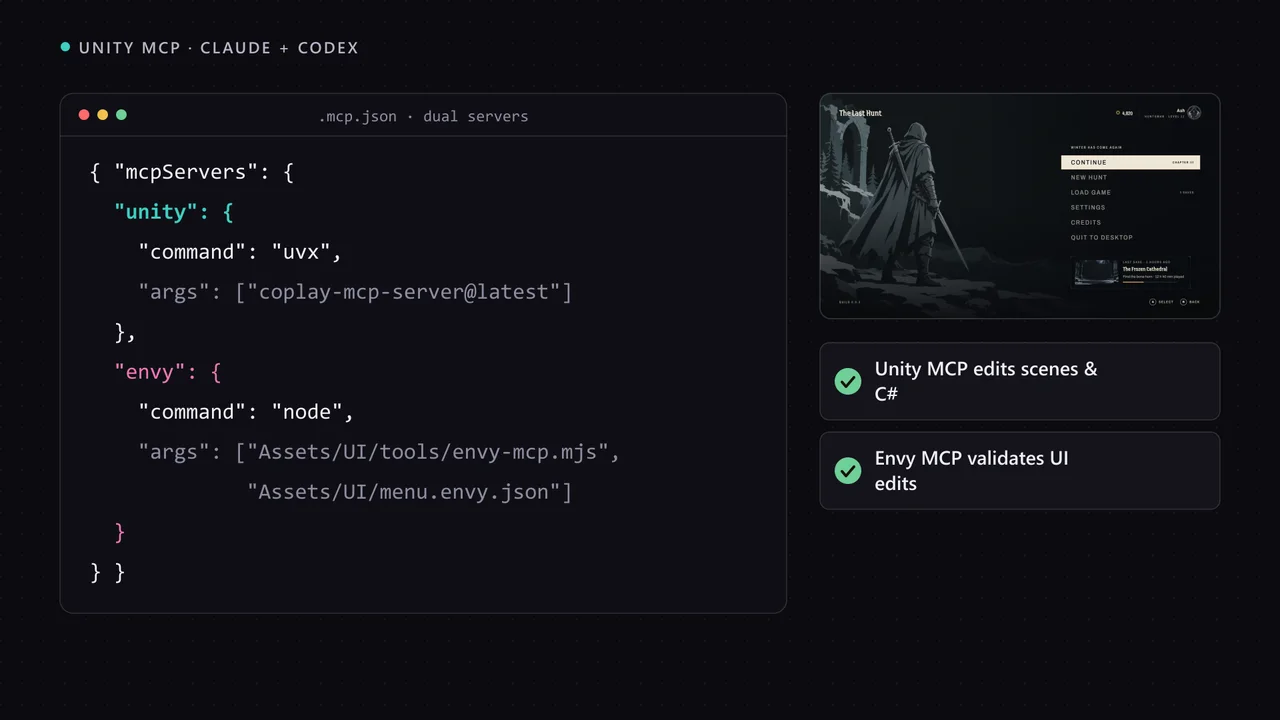
In .mcp.json, the two servers own clean, non-overlapping responsibilities:
{
  "mcpServers": {
    "unity": {
      "command": "uvx",
      "args": ["--python", ">=3.11", "coplay-mcp-server@latest"],
      "env": {
        "MCP_TOOL_TIMEOUT": "720000"
      }
    },
    "envy": {
      "command": "node",
      "args": ["Assets/UI/handoff/tools/envy-mcp.mjs", "Assets/UI/menu.envy.json", "--root", "Assets/UI/handoff"]
    }
  }
}
Your Unity MCP server compiles C# scripts, wires ui.SetData(...) and ui.UiEvent inside your scene, and checks Console logs in Play mode. Meanwhile, Envy’s MCP server edits only .envy.json through schema-checked tools (patch_node, add_instance, set_translation, patch_animation), refuses invalid changes before writing, and hot-reloads the running UI in the Unity Editor as soon as the file saves. Be realistic about fit: projects centered on Animator/Timeline-driven uGUI cutscenes should stick to native uGUI tooling, while menu-heavy Unity 6.3+ projects benefit from separating layout and wiring this way. Check the Unity runtime docs, Envy agent docs, Godot MCP setup guide, and Unity AI UI handoff checklist to configure your project.
Questions people ask
What is a Unity MCP server?
A Unity MCP server implements the Model Context Protocol so an AI coding agent can query active GameObjects, read Console logs, modify C# scripts or components, and run EditMode or PlayMode tests instead of editing serialized Unity YAML files blindly.
Is there a free open-source Unity MCP server?
Yes. Open-source packages such as CoplayDev unity-mcp install directly through Unity Package Manager from a Git URL with no paid subscription. Check the repository license, Unity version support, and local bridge dependencies (such as Python and uv or Node.js) before installing.
How do I connect Claude Code or Codex to Unity 6?
Install the Unity bridge package in your project via Package Manager, start its local bridge process, and register the server command in .mcp.json for Claude Code or .codex/config.toml for Codex. Start with read-only scene and log checks before allowing asset writes.
Why should UI edits stay separate from general Unity scene tools?
Mutating uGUI RectTransforms or raw UXML/USS files through general scene tools often introduces serialized prefab drift, missing ListView item pooling cleanup, and lost gamepad focus. Keeping UI layouts in a dedicated file with schema validation protects designs when gameplay scripts change.