

Fix the pause menu in your vibe-coded game
A pause menu needs a game-owned pause state, an interface that still accepts input and a reliable route back to play. Opening an overlay alone does not pause gameplay.
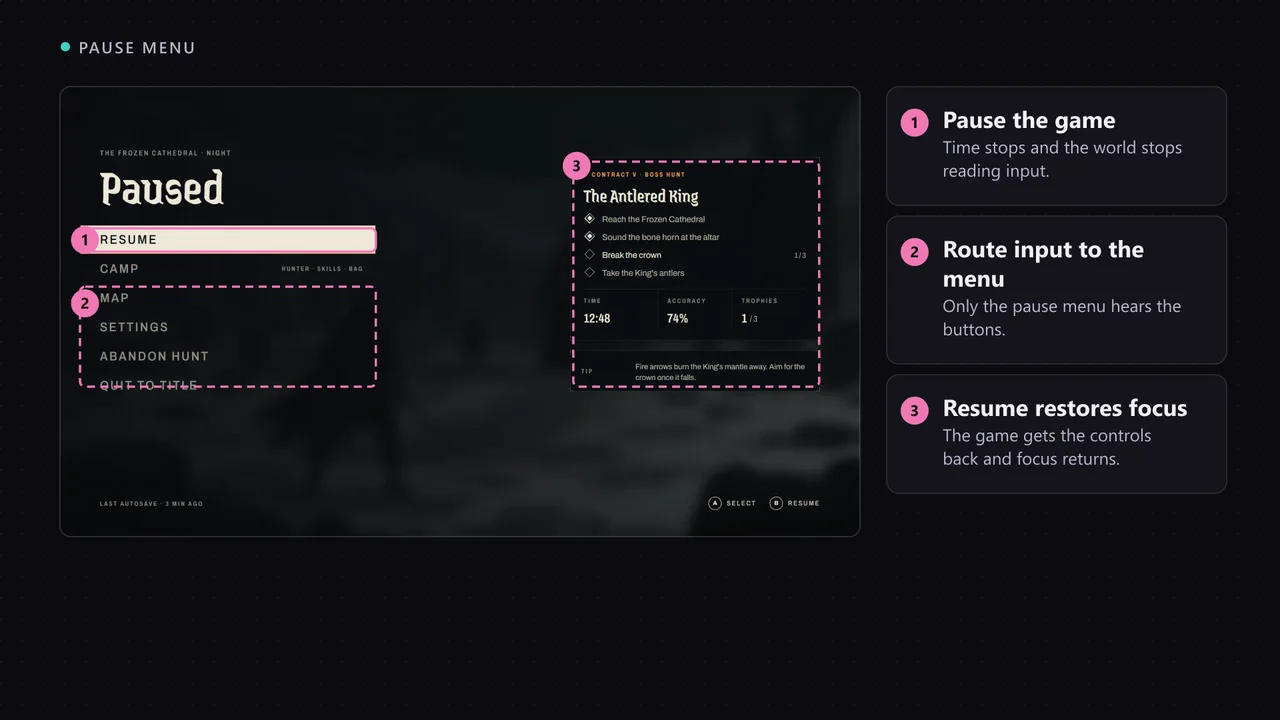
The player presses Pause. The menu appears, but enemies keep moving. Or gameplay stops and the menu stops responding too. Both failures come from treating the overlay and the game pause state as the same thing.
Decide what pause means
Write the rules for your game before asking an agent to fix them:
- Which gameplay systems stop, and which continue?
- Does music continue, change or pause?
- Can the player adjust settings while paused?
- What happens when the menu closes or the game loses focus?
- Is pausing allowed during online play, if your game has it?
A single-player pause policy may not apply to a networked game. Use the behavior your project actually supports rather than claiming a local menu freezes a shared server.
Open the menu and pause the game
Envy can open a screen as an overlay. By default, screens underneath take no input, and closing the overlay returns focus to the button that opened it. Those are UI behaviors. The game must separately pause and resume gameplay according to its own rules.
In Godot, check the scene tree pause state and the process modes of the systems that must keep running. The Godot pause documentation explains how pausing affects processing and how nodes can be configured. Do not assume that a visual overlay automatically configures your scene tree.
Test the ways out
From live gameplay:
- Open Pause and confirm the systems you chose actually stop.
- Navigate to Settings and back using a supported input device.
- Choose Resume and confirm gameplay input returns.
- Open Pause again and use the supported cancel action.
- Repeat during a transition or immediately after a previous close.
If an overlay was opened from a button, check focus returns there when appropriate. If it opened from gameplay instead, verify that the game returns input to the player. Test audio and any animation behavior against the policy you wrote down.
Diagnose the stuck state
When the menu closes but the character cannot move, trace the state from the menu action to the game pause controller and the input system. Record whether the game is still paused, whether the overlay remains on the stack and which control has focus.
Ask your agent to reproduce the sequence, identify the owner of the pause state and make the smallest change that restores the expected route. Require a report of the tests it actually ran. If controller hardware was unavailable, keep that case open for a manual test.
Questions people ask
Does opening a UI overlay pause the game?
Not by itself. The UI can show an overlay, but the game must decide what pauses and apply that state to gameplay, input and audio.
Why does a Godot pause menu stop accepting input?
The menu or its input handlers may be configured to stop processing when the scene tree is paused. Check their process modes against your pause design.
Where should focus go when a pause menu closes?
Return focus to the appropriate previous control when there was one, and verify the game is ready to receive gameplay input again.