

Stop your vibe-coded game from saying “saved” too soon
Treat saving as an operation with a pending state and a result. Show success only when the game reports it, explain failures and verify that the saved state can be restored after a restart.
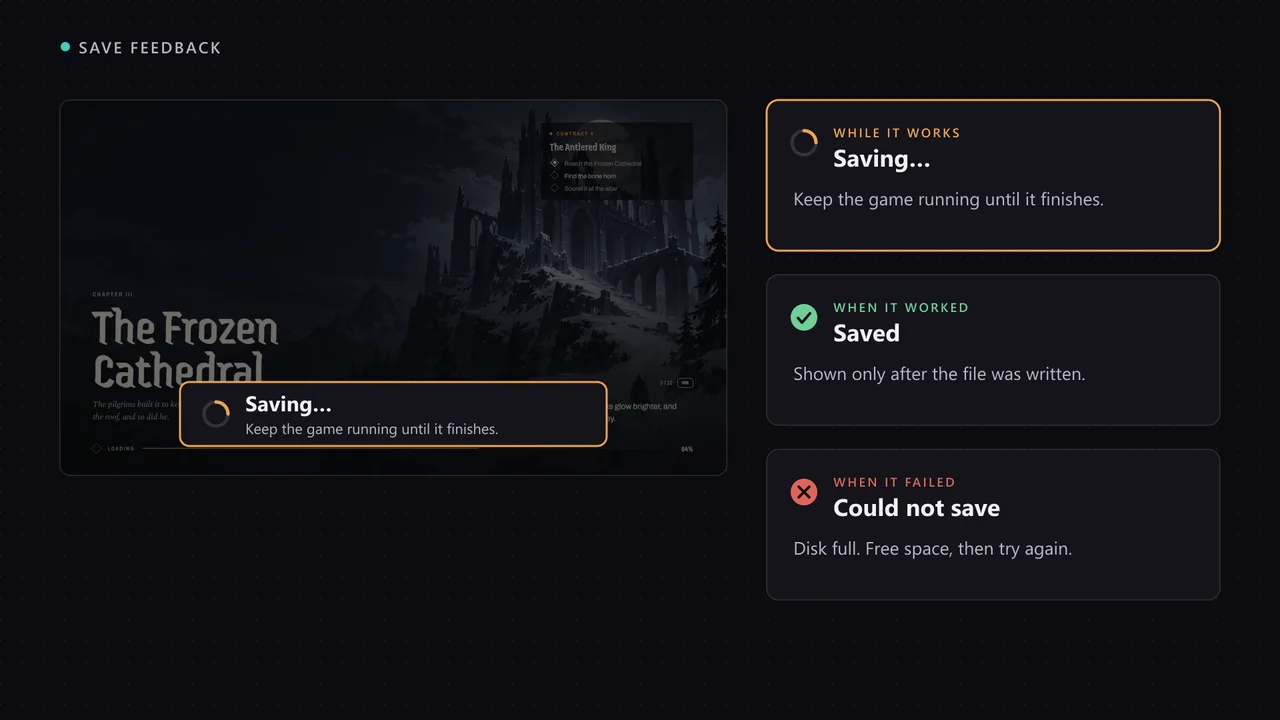
A “Saved” toast immediately after a button press feels reassuring until the player restarts and their progress is gone. The interface needs to reflect the result of the storage operation, not the intention to start one.
Define the states
| State | What the player should understand |
|---|---|
| Idle | No save operation is currently reported |
| Saving | A save is in progress, if it takes long enough to need feedback |
| Success | The game reported the operation succeeded |
| Failure | The operation failed and the player knows what to do next |
| Loading | The game is restoring data or waiting for a result |
Decide how your game handles missing data, unreadable files and an interrupted write. If a retry is possible, explain it. Do not promise that progress is safe unless your storage system provides the guarantee you are describing.
Connect the message to the real operation
For an illustrative contract, the UI can request save_requested and read save.status plus save.message. The game owns the save operation and updates those values when its state changes. Use the names and types in your actual project.
In Envy, text and visibility can be bound to data paths. Sample data and scenarios help preview the messages, but they do not write a save file. See data and scenarios and the game UI contract guide.
If a game uses Godot’s ConfigFile for suitable settings data, the Godot reference documents its save and load operations. Your project still needs to check results, choose where progress belongs and handle errors.
Test a real restart
- Start with a known save state or a disposable test profile.
- Change an observable value, such as the selected equipment.
- Trigger the save and wait for the reported result.
- Close the game, reopen it and verify that value was restored.
- Reproduce a safe failure in a test environment and confirm that the UI reports it.
Do not test failures by damaging a player’s real data. Use copies and test paths. Also test what happens if the player requests another save while one is already running; define whether the game queues, ignores or otherwise handles that request.
Give an agent the right task
The UI currently displays Saved as soon as save_requested fires.
Trace the existing save operation and its success or error result.
Show Saving while appropriate, Saved only after success, and a
recoverable error message on failure. Preserve the save format.
Use a disposable profile to test a restart and report any case
you could not run.
Review the implementation with the storage system in mind. A visible indicator, a validator pass and an agent’s report are useful clues, but a successful restore is the relevant end-to-end check.
Questions people ask
When should a game display “Saved”?
After the game reports that its save operation succeeded, according to the guarantees of the storage system it uses. Sending a save request is not the same as confirming the result.
What should happen when a save fails?
Keep the player informed, avoid claiming success and provide a recovery action appropriate to the game. Preserve the last known good save where your storage design supports it.
Does Envy save the game when it displays a save indicator?
No. Envy can display data and emit UI events. The game implements storage, reports the result and restores saved state.